Update document workflow
Creation Date: June 26, 2023
Created By: VNPT eContract's team
The feature allows users to adjust the list of recipients and access permission of a specific document. Users can modify the order, recipients, or access permission of the signature workflow, ensuring flexibility and adaptation to changing needs or circumstances.
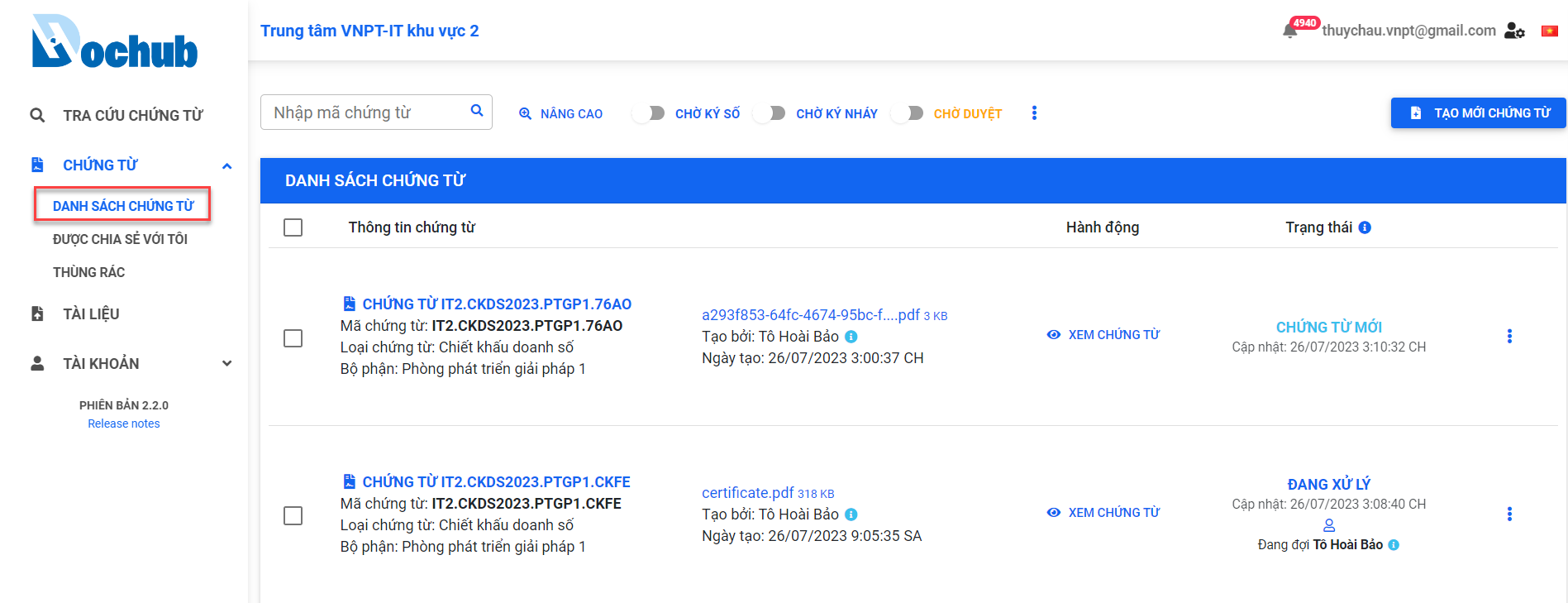
Access the "DOCUMENT LIST" screen
Update the document workflow
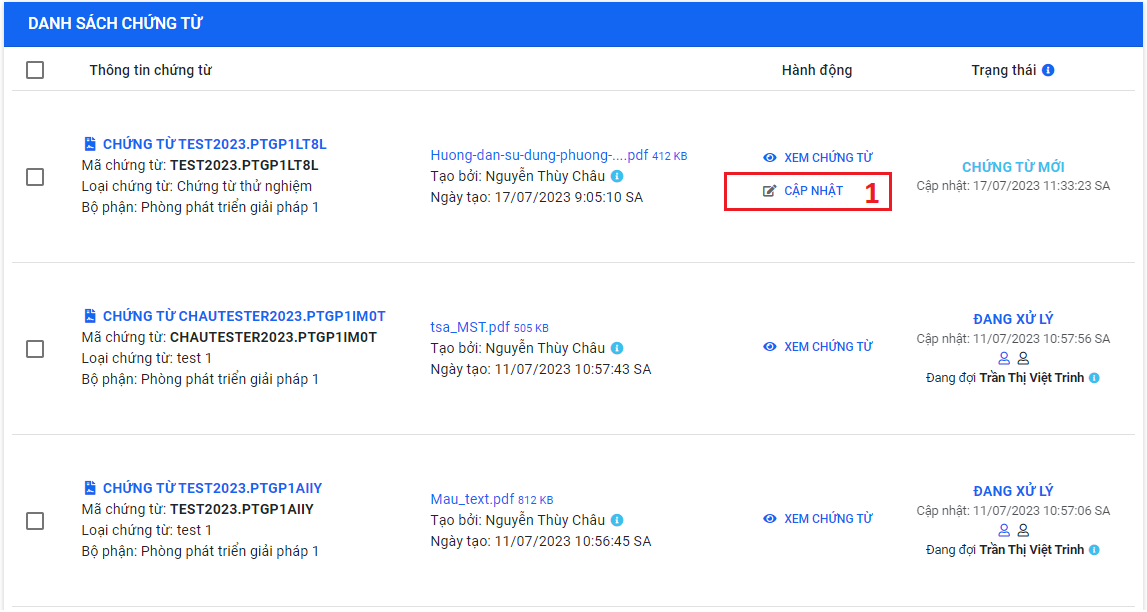
1. Choose the document to update the workflow
tip
- Only the document creator has the permission to update the document workflow.
- Users can update the workflow of documents in the "NEW", "READY", "PROCESSING", or "CORRECTING" status.
- For document in the 'New' status
- For document in the "READY", "PROCESSING", or "CORRECTING" status
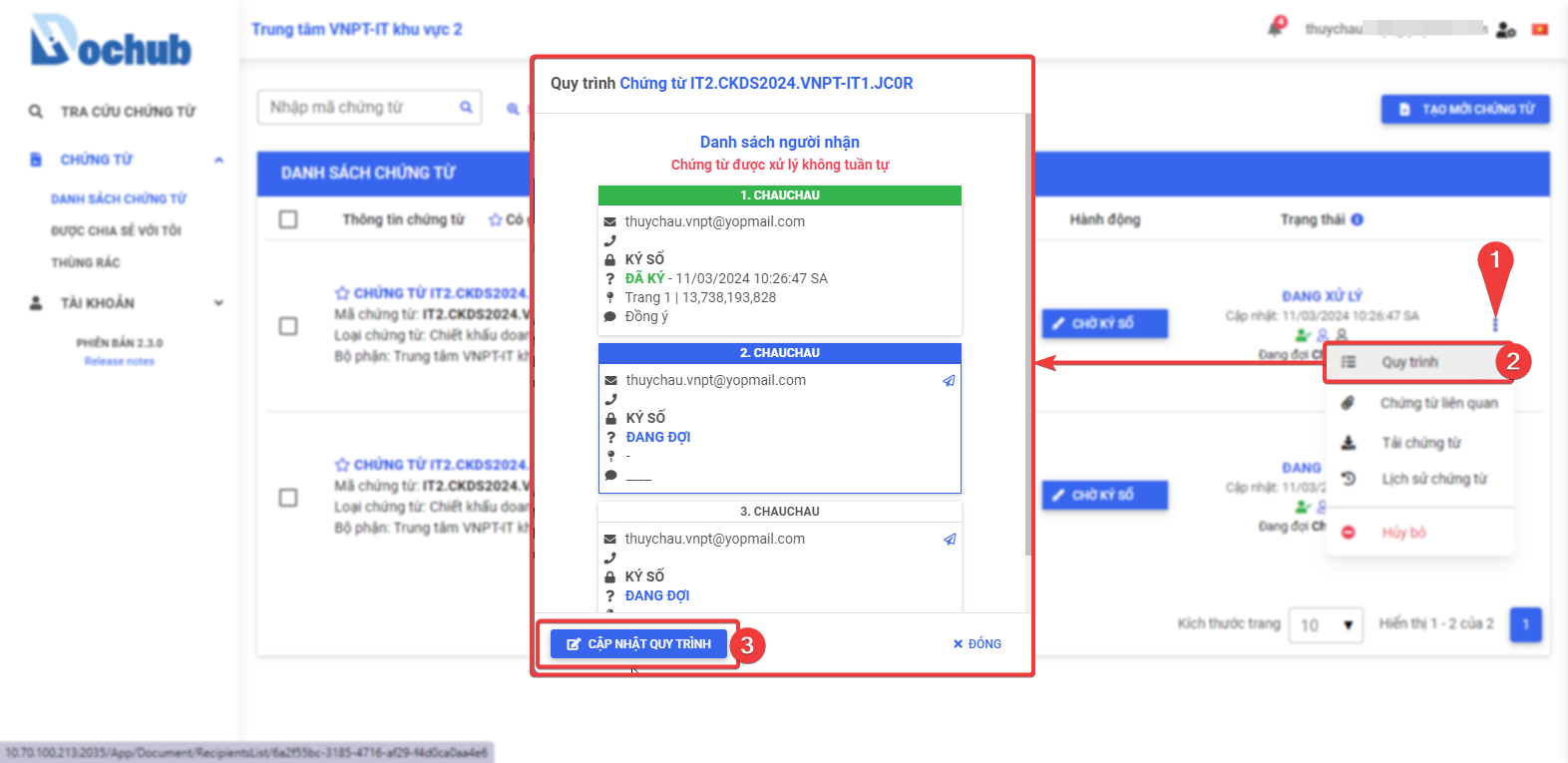
Confirm document processing workflow adjustments.
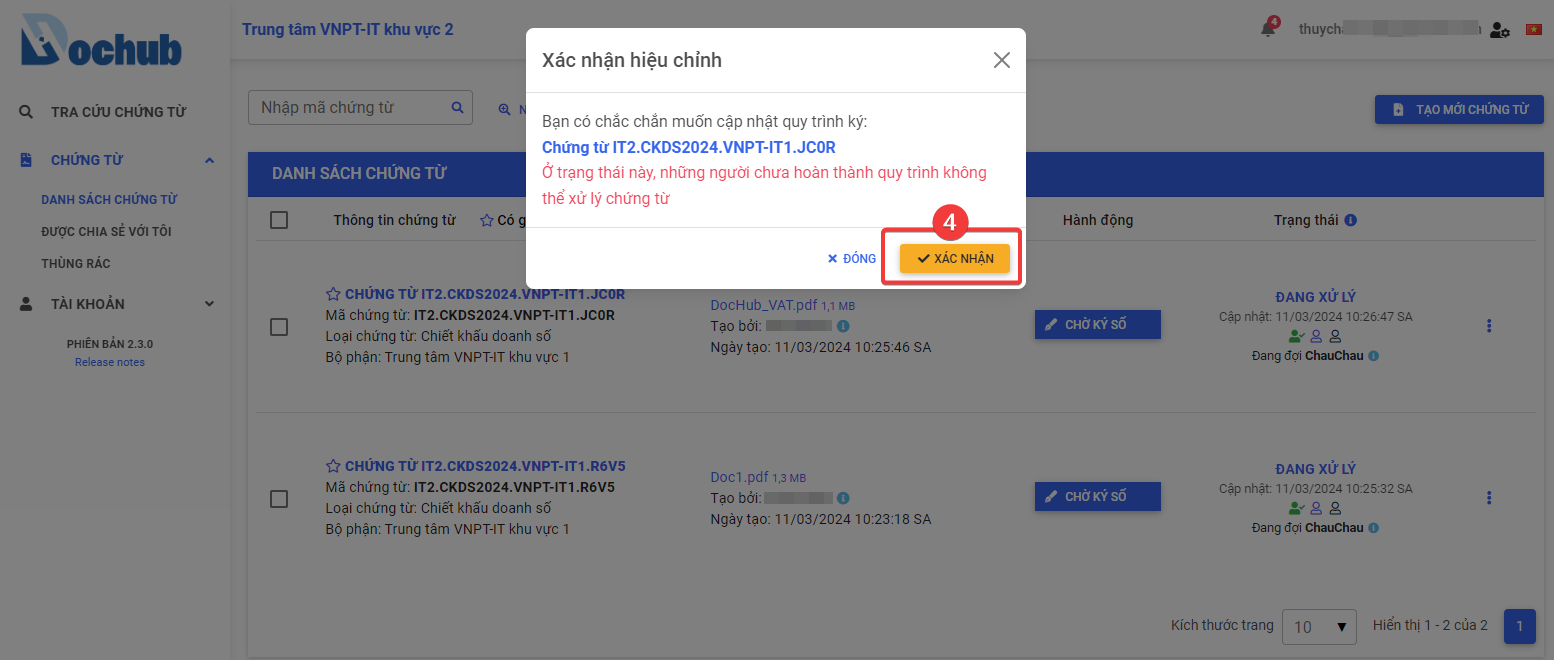
2. Update the document workflow
Perform the workflow update similar to the step Add Document Workflow when creating a new document.
3. Update the signing position
Perform the signing position update similar to the step Set Signing Position when creating a new document.
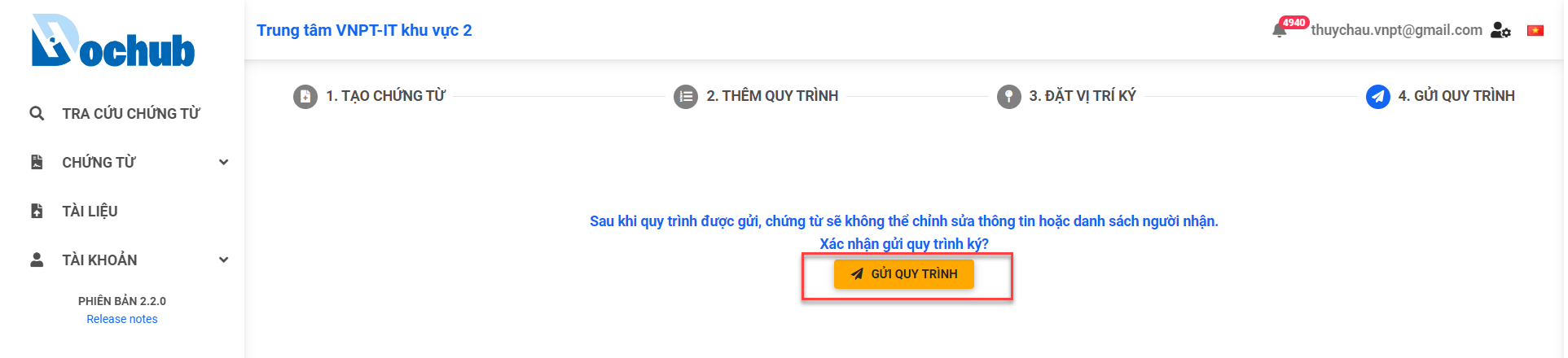
4. Sent to recipient
Click "Send to recipient" to complete the document workflow update